
 Español
Download NokaFut
NokaFut is a browser extension for the EA Sports FC 27 Ultimate Team Web App. It sits on top of EA’s own interface and takes care of the repetitive part of FUT: searching the market with the same filters over and over, building SBCs card by card and digging through club duplicates. It installs in a couple of clicks, the core features are free, and it follows the language of your Web App.
How to install it
- Click «Download» and add NokaFut from the Chrome Web Store.
- Go to the official EA Web App and log in with your EA account.
- NokaFut appears on top of the Web App. No account to create, nothing to configure.
- If it doesn’t show up, reload the page with the extension enabled. That is the most common issue.
Every September EA rebuilds the Web App, and every FUT extension —ours included— has to be adapted. Install or update it before release day, not on it.
Which browsers it works on
Because it installs from the Chrome Web Store, NokaFut runs on Chromium-based browsers:
- Google Chrome: install straight from the store.
- Microsoft Edge: allow extensions from other stores the first time.
- Brave, Opera and Vivaldi: same as Chrome.
- Android and iOS: with browsers that support extensions (see the guides).
It does not work on Firefox or Safari, which handle extensions differently.
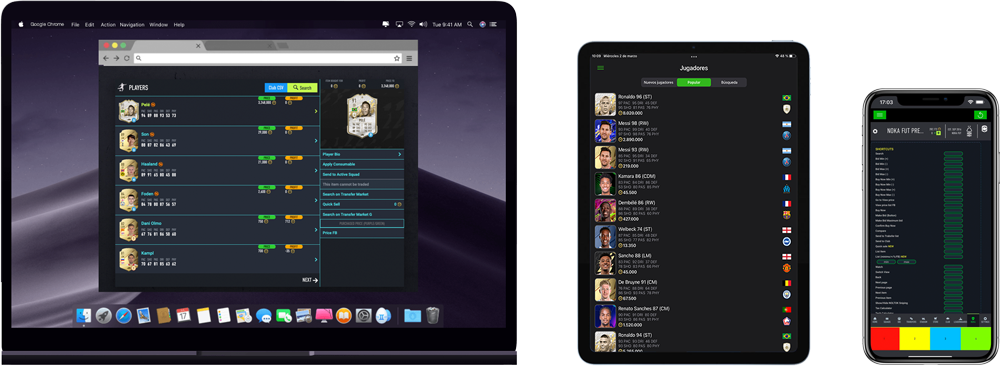
What NokaFut adds to the Web App
Saved search filters and rules
Stop retyping the same market search a hundred times a session.
Duplicates to SBC
Push the duplicates sitting in your club straight into an SBC.
Improved squad builder
A faster way to assemble SBC squads than dragging cards one by one.
Nokalimbo
Keeps the cards you buy easy to find.
Keyboard shortcuts
On release week, the difference between landing a card and watching someone else land it.
NOK-AI SBC Solver
Works out the best combination from the cards you own, inside the Web App.
Full details in features and tools and what NokaFut is.
Free and paid
The extension installs and runs for free, with the SBC Solver included and no account required. PREMIUM and SUPERPREMIUM unlock the more advanced tools.
News and help
Updates are announced on the NokaFut Telegram channel. If something stops working after an EA change, that’s where we post it first.
Frequently asked questions
Is NokaFut free?
Yes, the extension is free to install and use, with the SBC Solver included and no sign-up. Premium tiers are optional.
Does it work with the Companion App?
No. The Companion App is a native mobile app, and browser extensions cannot run inside it. NokaFut works on the Web App, in a browser.
Do I need to buy the game to use it?
You need an EA account with a FUT club for the current season. The Web App itself is free; you need the game to play matches, not to manage your club.
What language is it in?
NokaFut follows the language of your Web App. The extension is available in five languages: English, Spanish, French, Italian and Portuguese.
Is it allowed by EA?
NokaFut is a third-party tool, not affiliated with Electronic Arts. Using external tools on the Web App goes against EA’s terms of service, and the decision to use one is yours. We would rather say that plainly.
Note: NokaFut is a third-party tool. It is not affiliated with, endorsed by or connected to Electronic Arts. Using external tools on the Web App —and especially the automations in the paid tiers— goes against EA’s terms of service and may lead to penalties on your account. The decision to use it is yours.